



Intoduction
Comparing fixed asset verification software but still seeing the same generic promises about “visibility” and “accuracy”? This guide shows what automated asset verification software should actually do, which features matter in 2026, how integrations change success or failure, and how to build an ROI case that finance, audit, and operations will all accept.
Asset verification software is the workflow layer that runs a controlled asset verification cycle. It imports a defined asset population, assigns field tasks, captures proof in the field, routes discrepancies for review or re-verification, and syncs approved results back into ERP, CMMS, or ITAM/CMDB systems. That makes it different from generic asset tracking software, which mainly supports ongoing status and location monitoring across the asset lifecycle. AssetCues’ software page lays out that five-stage verification flow explicitly, while its tracking guide defines the broader lifecycle-tracking function separately.
In this guide, you’ll learn:
- What asset verification software actually does in practice, including how it manages the full cycle from data import to field verification and finally system updates, so teams move beyond static asset lists.
- How this software differs from tracking tools, registers, and services, while each plays a role, the verification layer specifically controls proof capture, exception handling, and audit-ready closeout.
- Which features and integrations truly matter, since capabilities like mobile evidence capture, workflow control, and clean ERP sync directly influence whether the cycle succeeds or stalls.
- How to evaluate ROI and make the right choice, as a structured approach helps reduce manual effort, shorten verification cycles, and improve data accuracy without relying on vague efficiency claims.

What is asset verification software?
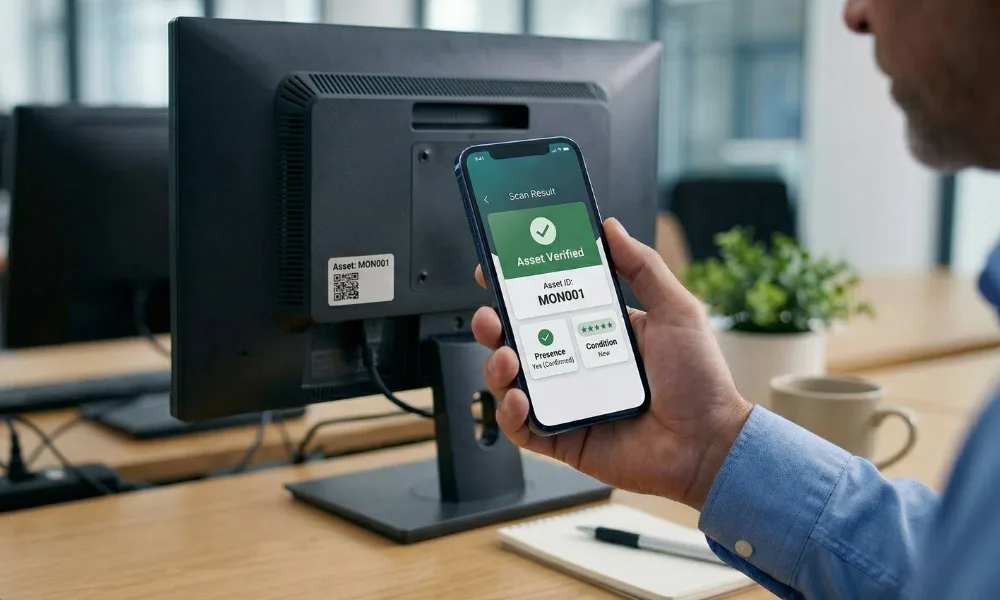
Asset verification software is the application layer that helps teams run a structured verification event. In practice, that means the software takes a defined asset population, pushes tasks to field users, captures barcode/serial/location/condition evidence, routes discrepancies to reviewers, and prepares approved updates for the financial or operational system of record. AssetCues describes this directly as register import, task assignment, mobile verification, discrepancy resolution, and ERP sync.
How is asset verification software different from related tools?
Tool/system |
Primary job |
What it is best at |
What it is not built to do alone |
|---|---|---|---|
| Fixed asset register | Hold the official book record | Capitalization, depreciation, and financial control | Run a field verification workflow |
| Asset tracking software | Monitor location/status over time | Lifecycle visibility, movement, assignment | Manage verification cycles and discrepancy closeout end-to-end |
| Asset verification software | Run a controlled verification cycle | Proof capture, exceptions, audit trail, closeout | Replace management approvals or policy |
| Verification services | Provide people and project delivery | Field execution, tagging, cleanup, and reporting support | Replace the need for a repeatable internal workflow forever |
The distinction matters because AssetCues’ live tracking guide defines fixed asset tracking as lifecycle monitoring of status and location through tagging and software, while its verification product page focuses on mobile checks, discrepancy handling, and ERP sync. Its services page then adds cleanup, classification, tagging, and structured handoff for organizations that need execution support as well as software.
What should asset verification software actually do?
The best software follows the logic of the verification cycle instead of acting like a passive database. AssetCues’ product workflow is a useful model here: import the register, assign work, verify via mobile, resolve discrepancies, and sync approved data back to ERP. That is a much better frame than a generic “asset system” description because it maps the software to the real job teams are trying to complete.
Verification workflow table
Stage |
What the software should do |
What good output looks like |
|---|---|---|
| 1. Import and prepare the population | Connect to ERP/CMDB or upload the working asset list, validate key fields, and create the working verification population | One controlled baseline with clean identifiers, locations, and scope |
| 2. Assign work | Route tasks by site, area, custodian, department, or asset class | Field teams see only the assets and zones assigned to them |
| 3. Capture proof | Support barcode/serial capture, location confirmation, condition, photos, and timestamps on mobile devices | Evidence is structured, complete, and easy to review |
| 4. Route discrepancies | Classify mismatches, send them to reviewers, and trigger re-verification where needed | Not-found, wrong-location, damaged, and off-book items follow a controlled workflow |
| 5. Sync approved outcomes | Push approved corrections back into ERP, CMMS, ITAM, or the fixed asset register | The cycle closes with cleaner books and a traceable action log |
AssetCues’ product page explicitly shows import from ERP/CMDB, field-task assignment, mobile verification with photos/condition/geolocation, discrepancy resolution, and sync back to SAP, Oracle, or Dynamics. Its services page reinforces that the closeout stage should produce ready-to-plug-in outputs for ERP, CMMS, or the fixed asset system.
Can software automate asset verification completely?
No. Asset verification software automates coordination, capture, routing, and synchronization much better than spreadsheets do, but it does not magically observe a machine, laptop, server, or vehicle for you. Even AssetCues frames the platform as a way to support on-site asset checks and evidence capture, not as a substitute for physical observation or management approval.
Original contribution: The Proof–Flow–Sync–ROI model
Most vendor pages stop at feature lists. A better buyer framework is to score verification software across four checkpoints:
Checkpoint |
Core question |
What strong software does |
What weak software usually misses |
|---|---|---|---|
| Proof | Can it capture defensible evidence? | Captures identifier, location, condition, photos, timestamps, and user trail | Stops at a yes/no scan result |
| Flow | Can it control the verification cycle? | Assigns work, routes exceptions, supports re-verification, and manages approvals | Leaves teams in spreadsheets and email threads |
| Sync | Can it close the loop with the system of record? | Maps approved updates into ERP, CMMS, ITAM, or FAR cleanly | Exports a CSV and leaves cleanup to finance |
| ROI | Can it reduce measurable cost and friction? | Shortens cycles, lowers audit prep, reduces rechecks, and improves register accuracy | Sells “AI” or “visibility” without a measurable business case |
That model is more useful than a generic feature checklist because the market baseline already includes integrations, audit trails, and reporting. Asset Infinity, Infraon, MRI, and AssetCues all talk about combinations of audit trail, integrations, and reporting. The real buying question is whether those features work together to run a verification cycle well.
Which features matter most in 2026?
The current market baseline is clear. AssetCues highlights ERP/CMDB import, mobile verification, exception handling, ERP reconciliation, multi-tech support, audit logs, photo capture, geotagging, and prebuilt integrations. Asset Infinity emphasizes barcode/QR/RFID plus role-based access and audit trails. Infraon emphasizes centralized visibility, integration, reporting, and audit readiness. So the differentiator is no longer whether a vendor has a scan screen. The differentiator is whether the platform can manage a verification program end-to-end.
Must-have feature checklist
Feature |
Why it matters |
What to ask in a demo |
|---|---|---|
| Controlled population import | Prevents teams from verifying against the wrong file version | Can it import from ERP/CMDB and validate key fields before work starts? |
| Mobile evidence capture | Let’s field teams capture proof where the asset is | Can users capture barcode/serial, exact location, condition, photos, and timestamps in one flow? |
| Multi-tech support | Different asset classes need different capture methods | Does it support barcode, QR, RFID, and other inputs without parallel workflows? |
| Exception handling and re-verification | Most real value appears after the first mismatch | Can a not-found or wrong-location item trigger recheck, reassignment, or approval? |
| Audit logs and role-based controls | Audit and control teams need traceability | Does the system record user, time, location, and before/after state? |
| ERP/CMMS/ITAM integration | Approved updates need to flow back cleanly | How does the software map fields, handle rejected records, and preserve approval status? |
| Reporting pack exports | Management, audit, and operations need different report layers | Can it export a management summary, discrepancy log, and asset-level support without manual consolidation? |
| Implementation controls | Adoption fails when the scope, roles, and hierarchy are weak | Does the vendor help define location hierarchy, discrepancy codes, and approval states? |
AI can help with tagging accuracy, auto-fill, or data preparation, and AssetCues positions AI recognition as part of its workflow. However, AI is not the buying core. Buyers should still prioritize evidence capture, exception routing, audit trail quality, and system handoff before they treat AI as the deciding factor.
How do integrations change success or failure?
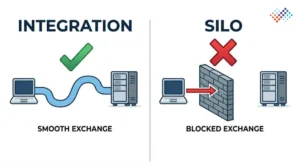
Integrations matter because verification software is often not the system of record. The financial system, FAR, CMMS, or ITAM/CMDB typically remains the authoritative source after approvals. Verification software sits between the baseline data and the approved final update.
AssetCues’ product page makes that architecture explicit: import from ERP/CMDB, complete the cycle, then sync verified data back into SAP, Oracle, or Dynamics. The same page also highlights prebuilt integrations with leading ERPs, ITSM/CMDB tools, IT discovery tools, and HRMS systems. MRI similarly emphasizes interfaces to leading Finance/ERP systems, while Infraon frames integrations as part of audit-ready asset verification.
Integration map buyers should think about
System |
Why it matters |
Common data flow |
|---|---|---|
| ERP / fixed asset register | Holds book values, ownership, and depreciation context | Approved location/status/custodian changes and new findings flow back after review |
| CMMS / EAM | Important for plant, maintenance, and engineering assets | Condition findings, equipment IDs, and maintenance-sensitive attributes align |
| ITAM / CMDB | Critical for laptops, servers, network gear, and endpoints | Device identity, location, custodian, and asset status sync across systems |
| HRMS / identity source | Useful for portable or user-assigned assets | Employee, department, and custodian references stay current |
| BI/reporting layer | Leadership wants summarized outputs | Verification results feed dashboards and recurring control reporting |
The buyer’s mistake to avoid
Do not judge integrations by logo walls alone. Ask how the system handles:
- Evaluate how the system handles field mapping, so data flows correctly between systems.
- Check how it manages rejected records, ensuring teams can review and fix errors quickly.
- Review how the system tracks approval states, so you maintain control over changes.
- Examine how it detects and handles duplicate assets, preventing data inconsistencies.
- Understand how it processes partial updates, so records stay accurate even during incomplete changes.
A vendor may have “integration” on the slide, but that does not guarantee smooth closeout.
How do you calculate ROI?
The cleanest ROI model measures the work and risk the software removes. Do not build the case on vague language about “digital transformation.” Build it on time saved, audit effort reduced, repeat visits avoided, discrepancies closed faster, and external service dependence reduced.
Vendors often market strong improvement claims. AssetCues says its platform can accelerate the asset verification process by up to 80%, while MRI connects software value to reporting efficiency, audit trail quality, and ROI-oriented finance modeling. Those claims can be directionally useful, but buyers should still model ROI on their own baseline, site count, data quality, and control maturity.
ROI driver matrix
ROI driver |
Baseline question |
Typical software impact |
How to quantify it |
|---|---|---|---|
| Cycle time | How long does one verification cycle take today? | Faster task allocation, evidence capture, and closeout | Days or weeks saved per cycle |
| Manual consolidation | How many hours go into spreadsheet merging and report prep? | Less admin work and fewer manual merges | Admin hours saved |
| Audit follow-up | How many hours go into answering evidence requests? | Better audit logs, timestamps, and traceability | Audit-prep hours saved |
| Repeat visits/rechecks | How often do teams return because the proof or classifications were weak? | Stronger field capture and exception routing | Site-days or labor hours avoided |
| Register cleanup | How many mismatches remain open after the cycle? | Faster discrepancy closure and clean data handoff | Fewer open exceptions at close |
| External support | How much recurring spend goes to ad hoc consultants or catch-up exercises? | More repeatable internal cycles | External spend avoided or deferred |
Illustrative ROI example
This is an example, not a vendor benchmark.
A 45,000-asset organization across 12 sites might currently spend:
- 25 working days to close one cycle.
- 250+ hours on spreadsheet consolidation and report preparation.
- 80–100 hours on audit follow-up.
- Several repeat visits to resolve weak evidence.
If a software-led model cuts consolidation hours, reduces repeat visits, speeds approval routing, and shortens closeout from weeks to days, the payback case usually becomes much easier to defend—even before you factor in cleaner books or less emergency outsource spend.
CFO-friendly ROI summary
A CFO usually cares about four outcomes:
- Faster period close.
- Lower recurring manual effort.
- Cleaner asset records and fewer unresolved exceptions.
- Stronger evidence for audit and control review.
When is software better than spreadsheets or outsourced services?
This page should not pretend that software is always the answer. Sometimes a spreadsheet-led model is still sufficient. Sometimes full-service outsourcing is the smarter option. The key is to choose the model that matches scale, urgency, and internal capacity.
Model |
Best fit |
Main strength |
Main limitation |
|---|---|---|---|
| Spreadsheets | Small, stable environments with low asset complexity | Lowest direct software cost | Weak audit trail, weak workflow control, poor scalability |
| Software-led internal execution | Recurring enterprise verification cycles | Repeatable workflow, evidence capture, audit logs, and system sync | Still needs policy, ownership, and change management |
| Outsourced services | Baseline rebuilds, M&A, tight deadlines, large multi-site catch-up | Field capacity and project execution | Ongoing external spend; management still owns approvals |
| Hybrid | Teams want governance control, but need field or project support | Balance of internal ownership and external capacity | Requires clear RACI and scope boundaries |
AssetCues’ product page is clearly positioned for repeatable in-house or hybrid software-led verification, while the services page is positioned for cleanup, tagging, large-scale execution, and structured handoff. That is the cleanest line between the software and services motions.
What implementation friction should buyers expect?
This is the part that vendor pages often underplay. Even the AssetCues services page starts with baseline cleanup, invoice/PO-backed data checks, and classification into taggable, verify-only, or non-verifiable assets before field execution begins. That is a good reminder that software does not remove the need for clean data and a clear scope.
Common implementation friction points
- Messy starting data
Duplicate IDs, vague locations, and stale asset classes create noise before the first scan. - Weak location hierarchy
If one site records only building names and another records room or rack position, the outputs fragment. - No approved discrepancy codes
Teams need controlled reasons for not found, wrong location, damaged, duplicate, or unrecorded assets. - Unclear approval model
If finance, operations, and IT do not know who approves which change, the closeout stalls. - Field adoption risk
Devices, user training, connectivity, and review discipline still matter, even with good software.
Honest implementation rule
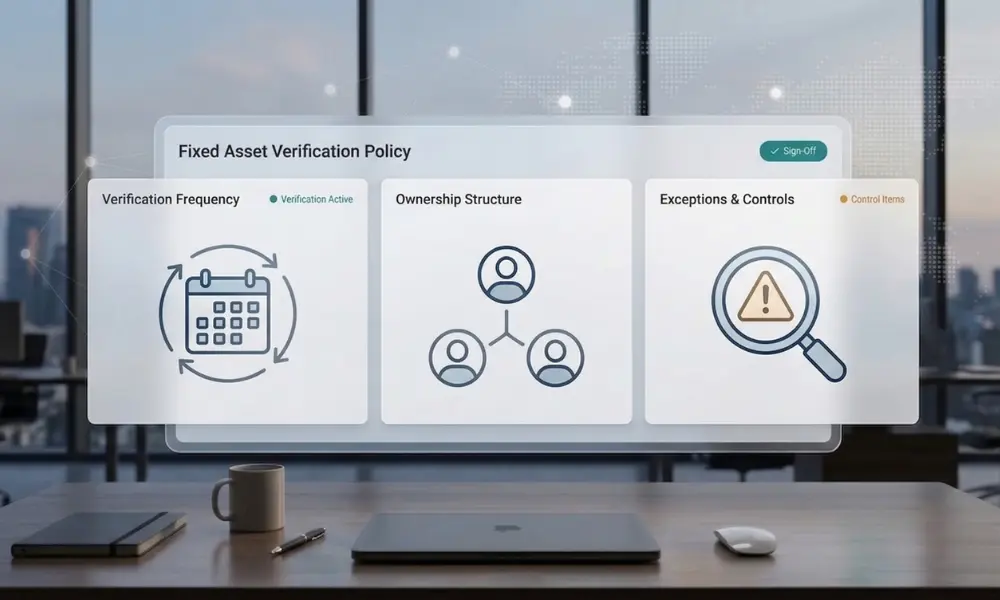
Software can streamline workflow issues, but it cannot fix governance gaps on its own. If an organization lacks a clear owner, defined rules, or a process to update the system of record, the software will only expose these weaknesses. That’s why having a fixed assets verification policy that ensures clear ownership and workflow is essential—it sets the rules, defines responsibilities, and creates a structured path for verified data to flow back into your registers.
What should buyers ask in a demo or RFP?
Use this as the practical how-to section for buyers.
- Show the import step.
Ask the vendor to import a realistic asset file from ERP, CMDB, or a spreadsheet and explain how bad fields are flagged. - Show field-proof capture.
Ask the vendor to demonstrate barcode/serial capture, location, condition, photo, and timestamp in one mobile flow. - Show one discrepancy from start to finish.
The vendor should demonstrate a wrong-location or not-found item moving through review, re-verification, and approval. - Show the audit trail.
Ask to see what the system records about the user, time, location, and record changes. - Show the system handoff.
Ask how approved changes move back into SAP, Oracle, Dynamics, CMMS, or ITAM/CMDB tools. - Show the report pack.
Ask for the management summary, discrepancy log, and asset-level support that come out of the cycle. - Show the implementation prerequisites.
Ask what data cleanup, hierarchy setup, code lists, and stakeholder decisions the client must complete first.
That kind of demo is far more revealing than a feature tour.
Country-specific buying notes
USA: Prioritize audit trail and management-review support
US organizations evaluate asset verification software not just on functionality, but on how well it supports internal-control responsibilities. SEC rules require management’s annual internal-control report to include management responsibility, the evaluation framework used, and management’s assessment of effectiveness. For fixed assets that matter to reporting, software with strong audit logs, reviewer controls, and a clear evidence history is much easier to defend in walkthroughs and year-end reviews.
→ What to ask for in US contexts
-
- Named reviewer and approval workflow.
- Tamper-resistant audit log.
- Material-exception tracking
- Evidence retention that can support ICFR review.
India: Prioritize mobile rollout plus discrepancy treatment in books
In India, buyers should focus on two things: whether the software can actually scale across plants, branches, and warehouses, and whether the resulting cycle makes it easier to show reasonable intervals plus proper treatment of material discrepancies in the books. CARO guidance is explicit that PPE should be physically verified by management at reasonable intervals and that material discrepancies should be properly dealt with in the books of account.
→ What to ask for in India
-
- Plant-ready mobile workflow.
- Class-wise reporting.
- Exception sign-off.
- A clean handoff into the FAR or ERP before audit close.
United Kingdom: Prioritize material-control evidence across distributed estates
UK readers should view the software decision as part of a broader material-control conversation, not just an operational choice. The FRC says the 2024 UK Corporate Governance Code applies from 1 January 2025, with Provision 29 applying from 1 January 2026. For companies or estates where fixed assets are material to operations or reporting, software that surfaces unresolved high-risk exceptions, portable-asset issues, and evidence quality can support that annual controls review much better than spreadsheets can.
→ What to ask for in UK contexts
-
- Estate-wide coverage controls.
- Portable-asset and custodian reporting.
- Unresolved-exception dashboards.
- Board-ready summary outputs.
South Africa: Prioritize location-aware reporting and public-entity outputs
For South African public-entity and municipal environments, reporting expectations are often much more specific than generic private-sector blogs imply. Recent official requirements ask for comprehensive reports covering asset location, condition, valuation, impairment or disposal needs, asset-register alignment to the trial balance, and audit-query support. That makes location-aware capture, condition codes, and structured export outputs especially important.
→ What to ask for in South Africa
-
- Office-wise or location-wise reporting.
- Condition and impairment flags.
- Audit-query support exports.
- A clean reconciliation output that supports PFMA/GRAP-style environments.
Key takeaways
- Asset verification software should manage proof, workflow, and closeout, not just maintain an asset list.
- The must-have features in 2026 are mobile evidence capture, exception handling, audit logs, role-based controls, and system-ready integrations.
- Integrations matter because verification software is often not the system of record; it is the layer that prepares approved changes for the system of record.
- Software ROI usually comes from faster cycle times, lower audit effort, fewer repeat site visits, cleaner books, and less spreadsheet consolidation.
- Software does not fix weak policy, poor ownership, or a messy starting register on its own.
- This page focuses on software buying and workflow fit. It does not replace the cluster pages on verification policy, field process, evidence sufficiency, reporting, or services.
Conclusion
Asset verification software is most valuable when it acts as the workflow engine for a repeatable verification control—not when it is treated like another static asset database. The right platform captures proof cleanly, routes exceptions intelligently, syncs approved outcomes back to the system of record, and gives finance, audit, operations, and IT a shared view of what changed and why.
That is also the natural commercial handoff for AssetCues. The software landing page already emphasizes geo-tagged proof, mobile verification, exception handling, ERP reconciliation, audit logs, and integration into core systems, while the services page covers the field-delivery side for organizations that need cleanup or execution support as well.
FAQs
Q1: How is asset verification software different from asset tracking software?
Ans: Asset tracking software mainly supports ongoing lifecycle visibility, such as location and status monitoring. Asset verification software is built around the verification event itself, including evidence capture, discrepancy handling, and closeout back into the system of record.
Q2: Can software automate asset verification completely?
Ans: No. Asset verification software automates planning, evidence capture, routing, and synchronization, but teams still need physical checks or approved alternative controls where physical observation is impractical.
Q3: What integrations matter most?
Ans: ERP or fixed-asset-register integration matters most for finance closeout. CMMS, ITAM, CMDB, and HRMS links also matter where location, maintenance, or custodian accuracy needs to flow across systems.
Q4: Should finance or IT own the selection?
Ans: Finance should usually lead when the main outcome is register accuracy, audit support, or close quality. IT should still be heavily involved when CMDB, ITAM, device management, security, or identity integrations are material.
Q5: Can software replace outsourced services?
Ans: Not always. Software is strongest for recurring internal cycles. Services still make sense for baseline rebuilds, large multi-site catch-up work, tight deadlines, or M&A projects.
Q6: Does asset verification software work with barcodes and RFID?
Ans: Yes, that is now a normal market expectation. AssetCues highlights barcode and RFID support, and competitor pages such as Asset Infinity do the same.
Q7: What is the biggest buying mistake?
Ans: The biggest buying mistake is treating the purchase like a generic software shortlist instead of testing the full verification workflow: import, field capture, exceptions, approvals, and sync.