

Introduction
An asset tag numbering format is the convention that gives every asset a unique, durable identifier — one that survives department changes, site moves, acquisitions and system migrations. The test of a good format is not how much it encodes, but how little of it can ever become false. Understanding how asset tagging links each identifier to an ERP or fixed asset register record helps teams design a format built to last.
In this guide, you will learn:
- What an asset tag number is, how it differs from an ERP asset number and manufacturer serial number, and why each identifier matters.
- How to create an asset numbering convention using stable structures, unique sequences, controlled rules, and clear governance.
- How to test a numbering format against collisions, replacements, acquisitions, site moves, migrations, and other edge cases before rollout.
What Is an Asset Tag Number?
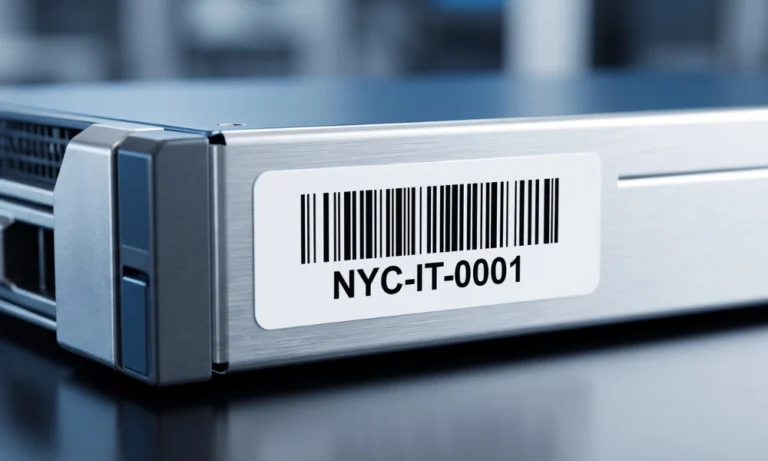
An asset tag number is the unique identifier printed on durable asset tags and linked to its record in the asset register. Your organization assigns it; it never repeats, and it is the ID your teams scan against during audits, moves, and maintenance.
It is not the same thing as two identifiers; it often gets confused with – and the confusion causes real audit problems:
| Identifier | Who assigns it | What it’s for |
|---|---|---|
| Asset tag number | Your organization | The scannable physical identity is unique inside your register, printed on the tag, and never reused |
| ERP asset number | Your ERP (SAP, Oracle, Dynamics) | The financial record key for capitalization and depreciation may differ from the tag number, so the register must map the two |
| Manufacturer serial number | The vendor | Warranty and support reference; can repeat across vendors, so it must never be your primary identifier |
Track all three in the register. Identify assets by your own tag number, because it is the only one you control end to end.
Choose a Numbering Convention — Uniqueness, Entities, Sequence and Legacy IDs
Three structures cover almost every enterprise case. The right question is not which looks most informative, but which guarantees uniqueness with the least embedded meaning.
| Structure | Example | Strengths | Watch out for |
|---|---|---|---|
| Sequential | 11000023 | Simplest; nothing to interpret, nothing to become false | Carries no context for humans — the record supplies it |
| Stable prefix + sequence | AC-000123 | One fixed, never-changing prefix aids recognition | The prefix must be genuinely permanent — entity, not department |
| Encoded (smart) numbering | IT-LAP-MUM-000123 | Human-readable at a glance | Every encoded fact is a future failure test — use sparingly, if at all |
Fix the total length; zero-pad sequences; issue numbers from one central system, never from site-level lists; restrict characters to letters, digits, and hyphens; reserve ranges only when central issuing is impossible; and never reuse a retired number.
Worked examples make the trade-offs concrete. All identifiers below are illustrative patterns, not issued numbers.
| Asset class | Sequential | Stable prefix + sequence |
|---|---|---|
| IT hardware | 11000482 | AC-000482 |
| Plant machinery | 11003117 | AC-003117 |
| Vehicles | 11000076 | AC-000076 |
| Tools and instruments | 11007925 | AC-007925 |
Notice what the examples do not do: no site code, no department, no category beyond an optional permanent domain. The record carries all of that, and carries it correctly forever.
How to Create Your Asset Numbering Convention: 8 Steps

- Inventory your asset classes and sites: Draft the code libraries (type codes, site codes) before choosing a structure.
- Choose a structure: Sequential when scanning is the primary interaction across many sites, hybrid when operators read tags by eye, encoded when at-a-glance context outweighs maintaining a code library.
- Fix the rules: Use uppercase, hyphen separators, zero-padded sequences, consistent length, and no special characters.
- Decide what is encoded: Include asset class at most; keep location, custodian, and cost center in the database.
- Reserve number ranges: Assign ranges per site or category so parallel tagging campaigns never collide.
- Document the convention: Create a one-page SOP with a code cheat-sheet and train everyone who creates assets.
- Enforce the convention: Use asset-tagging software that validates numbering, prevents duplicates, and automates ID assignment; never reassign a retired number.
- Pilot on 20–30 representative assets: Check for collisions and readability before scaling.
The Worked Numbering Worksheet — Test the Format Before It Ships
A convention document says what should happen; a worksheet proves what does. The downloadable template runs your draft format against fixed inputs with expected pass/fail outcomes — duplicates, length drift, illegal characters, padding errors — so weaknesses surface on twenty rows, not twenty thousand labels.
Each test carries its rationale, because the reviewer approving the format should see why a rule exists, not just that it fired. All inputs in the template are illustrative and marked as such; replace them with samples from your own draft ranges.
Replacement labels
A damaged or unreadable label is a stock problem, not an identity problem. The convention must say which of two paths applies: re-issue the same identifier on new stock, or issue a new identifier with a recorded cross-reference to the old. Either works; silence is what breaks registers.
Acquisitions, locations and system migration
The hardest collisions arrive in bulk. An acquisition brings a second population whose numbers may overlap yours — map both ranges before merging, and alias rather than overwrite. A new site draws from the central sequence, never its own.
A system migration is the opposite test: everything around the asset changes, and the identifier is precisely the thing that must survive the move unchanged.
Stress-Test Five Edge Cases — Avoid Embedding Mutable Meaning
Keep changing descriptive details out of the persistent reference. Run your draft format against these five cases before approving it.
| Edge case | If meaning is embedded | The rule that survives |
|---|---|---|
| Department is reorganized | Every ID carrying the old department code is now wrong or must be re-issued | Department lives in the record; the ID never mentions it |
| Asset moves between sites | A location prefix turns false the day the truck leaves | Location is a field, updated by events — never part of the ID |
| Asset is re-categorized | A type code (LAP, DESK) misdescribes the asset after reclassification | Category is descriptive data; encode at most a broad, permanent domain |
| Entities merge or rename | An entity prefix collides or goes stale across the combined register | Treat entity prefixes as permanent only at the issuing-organization level; alias legacy ranges |
| Sequence outgrows its padding | IDs jump from 9999 to 10000 and length-based validation breaks | Fix the length generously on day one — six digits cost nothing |
Asset Tagging Template Fields and Validation Rules — Source ID, Tag ID, Serial and Status
The data dictionary is the contract between the people issuing numbers and the systems consuming them. Five fields do most of the work; the template carries the full set with validation rules per field.
| Field | Stable or mutable | Validation rule |
|---|---|---|
| Source reference (PO / project) | Stable | Must exist before an ID is issued; links the asset to its origin |
| Asset tag ID | Stable | Matches the convention pattern exactly; unique across the register; never reused |
| Manufacturer serial | Stable | Captured verbatim where present; blank is recorded as blank, never invented |
| Entity / owning organization | Stable at issue | From the controlled entity list; changes only by approved transfer |
| Status | Mutable | From a controlled vocabulary (in use, in store, retired); retired IDs stay visible |
Mapping Tag Numbers to the FAR and ERP
A tag number that doesn’t map cleanly to a fixed asset register record is decoration. Three mapping cases cover most estates:
- One-to-one: One FAR line, one physical asset, one tag. The default – the register stores the tag number against the ERP asset number.
- Bulk lines: A FAR line like “100 chairs” maps to 100 tags (FUR-CHR-0001 to 0100), each pointing back to the parent line – or the line is split where accounting policy permits.
- Parent-child components: Machinery, HVAC, and IT infrastructure with different useful lives get a parent tag plus component tags mapped to ERP sub-numbers.
This mapping is what makes audits scan-led instead of description-led. Learn how tagging fixed assets links every physical tag to the fixed asset register to support accurate audits and financial reconciliation.
Governance: Who Issues Numbers, and How
Treat number issuance as a control, not a convenience. A minimal governance model has four parts:
- One documented convention: Structure, code libraries, and rules published as a one-page SOP everyone who creates assets can find.
- Controlled issuance: Software generates the next ID; nobody types one from memory. Duplicate detection runs at entry.
- Code library ownership: One owner adds new type or site codes; codes are added, never reassigned.
- Reprint and retirement workflow: Damaged tags reprint under the same ID; disposed assets retire their number permanently.
Large-scale renumbering projects often benefit from professional asset tagging services, particularly when assets span multiple sites or business units.
Because the software issues, validates, and governs every number regardless of structure, the format choice carries far less risk than teams assume; the system prevents the duplicates and drift that make numbering decisions feel high-stakes.
Key Takeaway
- An asset tagging format keeps identifiers unique and unchanged through site moves, department changes, acquisitions, and system migrations.
- Choose sequential or stable-prefix numbering carefully; keep mutable details such as location, department, and custodian in the asset record instead.
- Test the numbering convention against duplicates, padding limits, acquisitions, reclassification, and migration before issuing tags at scale.
- Map every tag to the fixed asset register and ERP, while controlling issuance, reprints, and retired numbers through clear governance.
Conclusion
A well-designed asset tagging format gives an organization a consistent foundation for identifying assets across finance and operations. The real value comes from applying that convention consistently as the asset base grows, systems change, and new requirements emerge. With the right structure in place, teams can maintain cleaner asset records and make everyday tracking, reconciliation, and reporting easier to manage.

Asset Tag Numbering FAQs
Q1. What is the difference between an asset number and a serial number?
Ans. The serial number is assigned by the manufacturer and can repeat across vendors; the asset number is assigned by your organization and is guaranteed to be unique within your register. Track both, but identify assets by your own number.
Q2. Can asset tag numbers be reused after disposal?
Ans. No. Reusing numbers destroys historical traceability and confuses audits. Retire the number with the asset and let sequences grow.
Q3. What is an asset tag generator?
Ans. An asset tag generator automatically issues the next unique ID in your convention and renders it as a printable barcode or QR label. Software-issued numbers prevent the duplicates that manual logs create.
Q4. How do I renumber assets after a merger?
Ans. Do not overwrite legacy numbers immediately. Map both legacy ranges to a new unified convention, keep the old number as an alias field, re-tag in controlled campaigns, and retire the alias only after every system reference is migrated.


