



Introduction
From AI-powered recognition to mobile scanning apps, today’s asset verification software is built to replace outdated spreadsheets with real-time data, automation, and accuracy. Finance and audit teams now expect more from their asset verification systems—faster reconciliation, smarter insights, and audit-ready reports. Fixed asset verification is no longer a manual, once-a-year checkbox. It’s a continuous process that requires the right asset verification tools.
But with so many asset verification tools on the market, understanding the core principles of fixed asset verification can help you choose the best fit for your organization. For a deeper look at how physical asset verification works and what matters most in the process, check out this guide.
Modern asset verification is no longer a manual, annual task. Finance and audit teams need real-time data, automation, and audit-ready reporting to replace spreadsheets and eliminate errors. Choosing the right software directly impacts accuracy, compliance, and audit confidence.

Additionally, the mobile app facilitates real-time physical verification through automated QR code scanning, thereby allowing for instant identification and tracking of company assets.
In this blog, you will learn more about:
- The 8 essential features every modern asset verification software must have for accurate, audit-ready records
- How AI, mobile scanning, and ERP integration replace spreadsheets and manual verification
- What to look for when upgrading or selecting asset verification software for long-term scalability and compliance
When choosing asset verification software, focus on eight essentials: AI-driven automation, mobile access, ERP integration, scalability, security, compliance reporting, analytics, and ease of use. Together, these features ensure faster audits, accurate reconciliation, and long-term scalability.
1. AI-Powered Recognition and Automation
AI is transforming asset audits. Software with image recognition or OCR can identify equipment from a photo or barcode. As a result, this auto-fills asset details and matches items to the asset register. Machine learning also flags anomalies (e.g. assets at risk of loss, duplicate counts) during verification. Such automation eliminates manual errors and speeds reconciliation.
2. Mobile App and Real-Time Access
Modern audits happen on the go. A robust mobile app lets teams scan and verify assets anywhere, online or offline. Look for offline support so remote or disconnected sites can still count assets. Cloud-based systems then sync scans instantly, giving managers up-to-date visibility.
3. ERP and System Integration
Data consistency is crucial. Therefore, your asset verification tool should sync with existing systems like ERP, financial, CMMS, or ITSM. With prebuilt connectors or open APIs, you can avoid manual imports. As a result, integrated systems ensure asset additions or disposals update all records automatically.
4. Enterprise-Grade Scalability & Security
Large organizations require both scalability and control. Therefore, the asset verification software must handle thousands to millions of asset records across multiple sites. It should also support multiple users with role-based access. Additionally, strong encryption and detailed audit logs are essential to safeguard sensitive data.
5. Compliance, Audit Trails, and Reporting
A good system automates compliance by logging every action—tagging, auditing, reconciliation, and approvals—for clear audit trails. Additionally, built-in reporting enables quick statement generation for auditors, reinforcing the principles of thorough verification of fixed assets in auditing and helping teams prepare detailed documentation for reviews.
6. Advanced Analytics and Insights
Data is only useful if analyzed. Look for dashboards that visualize verified assets, not found assets, damaged assets, and obsolete assets in real time during an asset verification. Analytics can provide insights on what to look for in case of every discrepancy. Custom alerts help teams act quickly.
7. User-Friendly Interface and Workflow
Even powerful asset verification software must be user-friendly. The UI should be clean, with intuitive search and filtering. Additionally, AI assistants or help bots should handle common asset queries. Moreover, guided workflows—like audit checklists for fixed asset audits and pop-up instructions—help on-site staff work independently.
8. Emerging Tech: IoT (Bonus)
Look for next-gen technology that future-proofs your investment. For example, IoT tags or sensors can continuously monitor asset location and environmental conditions.
Summary of Key Features
| Feature | Why It’s Essential |
| AI-Powered Recognition & Automation | Auto-identifies assets from photos or barcodes, reducing manual effort and speeding up verification. |
| Mobile App & Real-Time Access | Enables on-the-go scanning and verification (even offline) with instant data synchronization. |
| ERP & System Integration | Keeps asset data consistent across systems and eliminates manual data entry errors. |
| Enterprise-Grade Scalability & Security | Handles large asset volumes across multiple locations with role-based access and secure controls. |
| Compliance, Audit Trails & Reporting | Maintains detailed logs and standardized reports to simplify audits and ensure compliance. |
| Advanced Analytics & Insights | Highlights missing, idle, or obsolete assets through dashboards and visual reports. |
| User-Friendly Interface & Workflow | Simplifies field operations with guided workflows and minimal training requirements. |
| Future-Ready Technology Support | Adapts to evolving needs with support for advanced tracking and monitoring capabilities. |
Conclusion: Embrace Modern Asset Verification

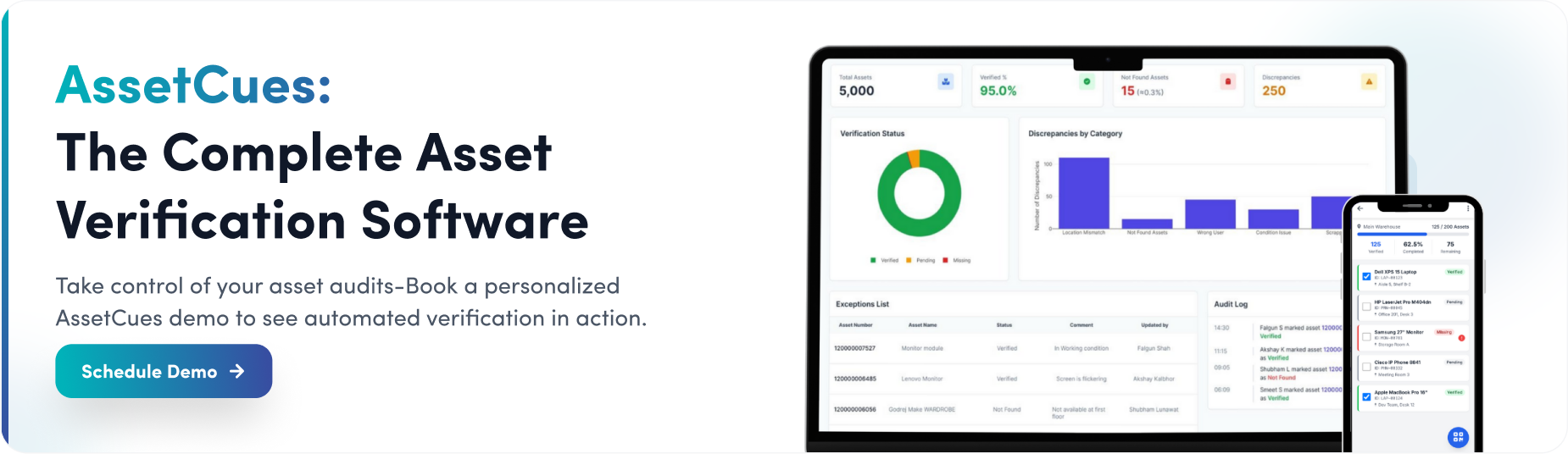
Choosing the right asset verification software means ensuring it includes all essential features. For instance, an enterprise solution like AssetCues combines mobile scanning, AI recognition, ERP connectors, automation, and strong security in one platform. Moreover, it seamlessly scales from hundreds to millions of assets, offering a turnkey solution to simplify audits.
Frequently Asked Questions (FAQs)
Q1: What features should asset verification tools include?
Ans: Must-haves include a mobile scanning app, AI-driven recognition, automation, and seamless ERP data sync. Additionally, the system should automate reconciliations, offer audit trails, and scale with your organization.
Q2: How do mobile apps enhance asset verification?
Ans: Mobile apps let auditors scan assets on-site, even offline. They send real-time updates to the central system when online. This eliminates paper checklists and speeds data entry. In short, mobile tools make field audits fast and accurate.
Q3: Why is ERP integration important for asset verification software?
Ans: Integration ensures the asset database is always in sync. When an asset is purchased or disposed of in ERP, the verification software updates automatically. This avoids duplicate entries and keeps financial records accurate for audits.
Q4: How can AI improve asset verification processes?
Ans: AI (image recognition, machine learning) automates asset ID and error checking. For example, you can snap a photo of equipment and AI reads the label and fills in data. AI also spots anomalies (like duplicates) during audits, reducing manual work and mistakes.
Q5: What is asset reconciliation and how does software help?
Ans: Reconciliation is matching the physical count to the asset register. Software automates this by comparing scanned counts to records and flagging differences. It generates reports of missing or untracked items, making audits far easier than manual spreadsheet checks.