


Introduction
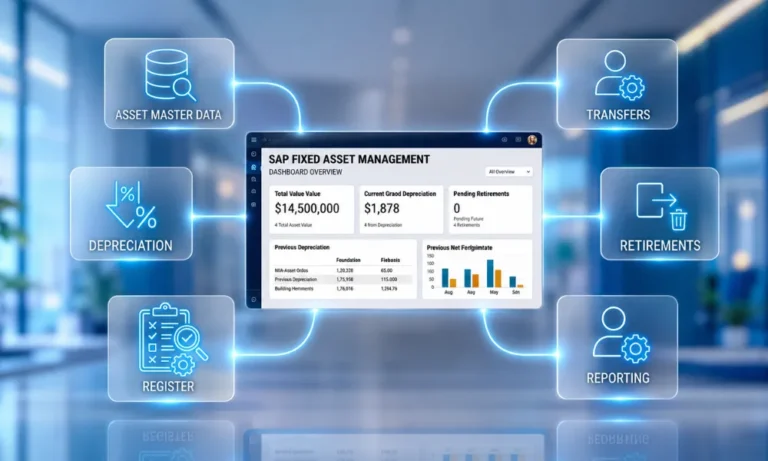
SAP fixed asset management runs on FI-AA Asset Accounting, and the module does its accounting job well: acquisitions, depreciation, transfers, and retirements post with discipline. What FI-AA cannot do is walk the floor, which is where fixed asset management software can add the physical verification layer. This guide covers the module end-to-end master data, lifecycle t-codes, every key report, and then the part SAP leaves to you: keeping the register physically true.
Read it as diagnosis plus remedy: first, how fixed asset management in SAP is supposed to work, then the specific points where registers break in practice, then the verification layer that closes the loop with evidence rather than workflow alone.
In this guide, you will learn:
- What SAP FI-AA manages, including asset master data, depreciation areas, lifecycle transactions, and integration with the general ledger.
- How to manage the SAP fixed asset lifecycle using key transactions for acquisitions, AuC settlement, transfers, depreciation, retirements, and year-end closing.
- Why SAP asset registers drift from physical reality, and how issues such as unrecorded movements, aged AuC, master-data gaps, and ghost assets affect control.
- How physical verification, evidence capture, exception workflows, and approved synchronization strengthen fixed asset accuracy across SAP ECC and S/4HANA environments.
What Is a Fixed Asset in SAP? (FI-AA Fundamentals)
A fixed asset in SAP is a master record in FI-AA that represents one capitalized item, its costs, useful life, depreciation terms, and postings, identified by an asset number and sub-number within a company code. While SAP manages fixed assets through FI-AA, Oracle fixed assets environments manage them through Oracle Fixed Assets, with similar accounting functions for capitalization, depreciation, and retirement.

- Asset classes organize everything: each class drives the account determination, number range, and screen layout its assets inherit get classes wrong at go-live and every record after inherits the error.
- Depreciation areas let one asset carry parallel valuations book, tax, group under a chart of depreciation assigned per country.
- Master data carries the operational fields the floor depends on: cost center, location, custodian-relevant assignments the fields most likely to drift stale.
- Core master-data t-codes: AS01 create, AS02 change, AS03 display; AW01N (Asset Explorer) shows any asset’s values, transactions and projected depreciation in one view.
The Fixed Asset Life Cycle in SAP: Acquisition to Retirement (T-Codes)
The fixed asset process in SAP runs through well-worn transactions. Below is a stage-by-stage look at the fixed asset lifecycle:
Stage | What happens | Standard transactions |
|---|---|---|
| Acquisition | Purchase with vendor integration, or automatic offsetting entry when no invoice reference exists | F-90 (with vendor); ABZON (automatic offsetting) |
| Assets under construction (AUC) | Project costs collect on AUC assets or investment measures until completion, then settle to final assets | AIAB (distribution rules); AIBU (settlement) |
| In-service changes | Intra-company transfers move assets between cost centers, plants or asset classes | ABUMN (transfer within company code) |
| Depreciation | The periodic run posts planned depreciation across areas | AFAB (depreciation posting run) |
| Retirement | Assets leave by scrapping or by sale with revenue | ABAVN (scrapping); F-92 (retirement with revenue, with customer) |
| Year-end | Fiscal year change opens the new year; year-end close locks the old | AJRW (fiscal year change); AJAB (year-end closing) |
For lifecycle controls beyond SAP the stages, handoffs and per-stage tests see the fixed asset life cycle guide; this section stays inside the module.
On S/4HANA, SAP requires companies to use the new Asset Accounting (FI-AA) architecture. As a result, asset values post to the Universal Journal (ACDOCA), depreciation posts in near real time rather than through batch-only processing, and integrated acquisitions use a technical clearing account. The t-codes above remain the working vocabulary; verify behavior for your release against SAP’s official documentation on the SAP Help Portal.
Every Key Fixed Asset Report in SAP (Asset History Sheet First)
One fixed asset report in SAP matters above the rest at audit time: the asset history sheet (S_ALR_87011990), the standard rollforward of opening balances, acquisitions, retirements, transfers and depreciation per class or company code. Around it sit the working set:
- Asset balances and asset lists for balance verification by class, cost center or location.
- Depreciation posting logs from AFAB runs, and planned-vs-posted comparisons per area.
- AUC reports for unsettled balances the first place lifecycle drift shows up in numbers.
- Asset Explorer (AW01N) per asset: values, transactions, parameters and projections in one screen when an auditor asks about one record.
The reports share one honest limitation: every one of them reports what was posted none can tell you whether the asset is still on the floor, in one piece, where the record says.
Where SAP Registers Break: The Seven Points
FI-AA is rarely the problem; the gap between postings and the physical floor is. Seven break points recur across SAP environments each visible in a report if you know where to look:
Sr No. | Break point | What SAP shows | What the floor shows |
|---|---|---|---|
| 1 | AUC never settled | Balances aging on AUC while depreciation waits | Equipment commissioned and running for months |
| 2 | Capitalization without readiness | An active asset record from the invoice date | Item still in a crate, or installed elsewhere |
| 3 | Physical moves without ABUMN | Original cost center, plant and location | Asset two sites away since last year |
| 4 | Retired in place | Depreciation still posting via AFAB | Scrapped, cannibalized or sold informally |
| 5 | One record, many units | A single line for a bulk purchase | Multiple physical units, individually loseable |
| 6 | Master-data drift | Custodian and location fields from go-live | Different owners, reorganized floors |
| 7 | Ghost and unrecorded assets | A register neither audit nor floor fully matches | Items with no record; records with no item |
Every row shares a root cause: the physical event happened without a posting, or the posting happened without a physical event. Workflow tools that route forms and approvals help the second failure; only evidence from the floor fixes the first.

The Physical Verification Layer for SAP
The remedy is the ERP control layer, and that layer is AssetCues: SAP keeps the accounting, while AssetCues keeps the record true to the floor. Therefore, control starts at goods receipt, before the asset record exists, and evidence flows back afterward.
Additionally, tagging links every unit to its SAP asset number; mobile, AI-powered verification, scan validation, image, and condition recognition prove existence, location, and condition. Then, exceptions route through approval, while approved changes synchronize to SAP automatically and continuously. As a result, reconciliation stops being an audit-season project.
Two design points outrank any feature list. First, GRN-to-capitalization tracking: the window between receipt and the FI-AA record is where readiness, components and custody get lost control begins there. Second, continuous sync: a verification result waiting in a spreadsheet for quarter-end is already stale.
Integration Architecture: ECC and S/4HANA

The connector pattern is identical on both platforms: master data flows from SAP; verification results, transfers and evidence flow back through approval gates; nothing posts without authorization. ECC integrates against classic FI-AA; S/4HANA against new Asset Accounting and the Universal Journal. The platform changes internals, not the operating model one verification layer serves environments mid-migration, running both.
Key Takeaways
- FI-AA handles the accounting of fixed asset management in SAP with discipline: classes, depreciation areas, lifecycle t-codes, year-end.
- The asset history sheet is the audit anchor among reports – but every report shows postings, not physical truth.
- Registers break at seven recurring points, all variants of one gap: postings and physical events happening separately.
- Workflow alone routes the paperwork; closing the gap takes evidence from the floor plus continuous, approved sync to SAP.
- Control should start at goods receipt – before the asset record exists – and the same layer serves ECC and S/4HANA.
Conclusion
That is SAP fixed asset management done end to end: postings stay accurate because the module runs well, while records remain reliable because teams continually verify them on the floor. First, size your gap with the worksheet and, if SAP serves as your system of record, ask any vendor one question: show me the ECC and S/4HANA connectors running live. AssetCues will.
Effective SAP fixed asset management combines accurate accounting with reliable physical verification throughout the asset lifecycle. Managing each fixed asset in SAP through the fixed asset module in SAP helps maintain accurate records, depreciation, transfers, and retirements. When organizations connect SAP records with physical verification, they can reduce register discrepancies and strengthen financial control.

SAP Fixed Asset FAQ
Q1. What is FI-AA in SAP?
Ans: FI-AA is Asset Accounting, the SAP module that manages fixed assets as master records with integrated postings to the general ledger. It organizes assets by class, values them across parallel depreciation areas under a chart of depreciation, and carries lifecycle transactions acquisition, transfer, depreciation, and retirement through standard t-codes with full posting history.
Q2. Which t-code creates a fixed asset in SAP?
Ans: AS01 creates the asset master record; AS02 changes it and AS03 displays it. The record’s asset class determines its account assignment, number range and screen layout. Acquisition values then post separately typically F-90 for purchases with a vendor or ABZON for automatic offsetting entries and AW01N shows the resulting values in one view.
Q3. What is the asset history sheet in SAP?
Ans: The asset history sheet (S_ALR_87011990) is SAP’s standard roll forward report: opening balances, acquisitions, retirements, transfers and depreciation per asset class or company code for a fiscal year. Auditors anchor on it because it reconciles asset movement to the ledger though like every FI-AA report, it shows postings, not physical existence.
Q4. What changed in S/4HANA asset accounting?
Ans: S/4HANA requires new Asset Accounting: values post to the Universal Journal (ACDOCA), depreciation can post in near-real time instead of batch-only, and integrated acquisitions flow through a technical clearing account. Day-to-day vocabulary asset classes, depreciation areas, the core t-codes carries over; verify release-specific behavior against SAP’s official documentation.
Q5. How do you verify fixed assets in SAP?
Ans: Not with FI-AA alone the module records postings, not floor truth. Verification takes a physical layer: tags linking each unit to its SAP asset number, AI-assisted mobile counts capturing scans, photos and locations, exception workflows for what does not match, and approved results synchronized back to SAP continuously so the register and the floor converge.


