



Introduction
Most IT teams know roughly what they own. The trouble is in the detail. Which laptop belongs to whom? Is that software still licensed? What happens to it all when someone leaves? An IT asset register answers these questions in one place. This guide shows you what to put in it, how to build it, and how to keep it accurate across both hardware and software.
An IT asset register is a single, maintained record of all your IT assets, hardware, software licences, and cloud services with each asset’s ID, owner, location, status, and lifecycle details. If you want to understand how to maintain a fixed asset register more broadly, that guide covers the full structure, including unique IDs, purchase cost, depreciation, ownership, and how to keep the record audit-ready over time.
In this guide, you will learn:
- What an IT asset register (sometimes called an ICT asset register) is, and why a unified hardware and software register provides better visibility and control.
- The essential hardware, software, licence, ownership, and lifecycle fields needed to build a reliable IT asset register.
- How to create, maintain, and reconcile the register with finance records, the CMDB, and information asset management processes.
- How licence management, joiner-mover-leaver controls, audits, and periodic reconciliation help improve compliance, reduce costs, and keep asset records accurate.
What is an IT asset register?
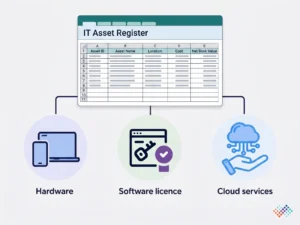
An IT asset register is a single, maintained record of an organisation’s IT assets. That means hardware, software licences, and cloud services. Each asset has an ID, an owner, a location, a status, and lifecycle details. It is the source of truth IT teams use for support, budgeting, security, and audits. A quick inventory tells you what exists right now. A register goes further: it adds ownership, finance linkage, and history, and keeps them current.
People also call it a hardware asset register, a software asset register, or a computer asset register, depending on what they track. The strongest approach integrates hardware and software into a single register. Each device then shows the software it runs, and each licence shows the devices it covers.
Hardware, software or both? Why one unified register wins
A hardware register tracks physical devices: laptops, desktops, servers, phones, and network gear. A software register tracks licences, versions, and entitlements. Kept apart, they leave obvious gaps. You can see a laptop, but not whether its software is licensed. You can see a licence, but not which device it sits on.
One unified IT asset register links the two. A laptop record points to the operating system, the Microsoft 365 seat and the Adobe licence on it. Each licence points back to the devices and users it covers. That link lets you answer the questions that matter. Are we over-licensed? Can we reclaim a seat when someone leaves? Does this device meet our security baseline?
What to include in an IT asset register
Capture two linked sets of fields, one for hardware, one for software and licences.
Hardware fields
Field |
What to record |
|---|---|
| Asset ID/tag | A unique, scannable identifier |
| Type | Laptop, desktop, server, monitor, phone, network device |
| Make and model | Manufacturer and model |
| Serial number/service tag | The maker’s identifier |
| Assigned user/owner | Who uses it and who is accountable |
| Location/site | Where the device is |
| Status | In use, in stock, in repair, retired, lost |
| Purchase date and cost | For the finance linkage |
| Warranty/support end | When coverage expires |
| Lifecycle dates | Deployed, refresh due, end of life |
| Linked finance asset / CI | References to the fixed asset register and CMDB |
Software and licence fields
Field |
What to record |
|---|---|
| Software and publisher | For example, Microsoft 365, Adobe Creative Cloud |
| Version/edition | The release and edition in use |
| Licence type | Per-user, per-device, subscription or perpetual |
| Entitlements (seats) | How many have you bought |
| Deployed/assigned | How many are actually in use |
| Assigned to | The user or device |
| Licence key/subscription ID | The proof of entitlement |
| Start/renewal/expiry | Key dates, so renewals are not missed |
| Cost | Licence or subscription cost |
| Compliance status | Within, over or under entitlement |
| Linked hardware | The device(s) it is installed on |
You do not need every field on day one, but the IDs, owner, status, dates and the hardware-to-software link are what make the register useful.
From IT inventory to a register you can trust
A good IT asset register links hardware to software, stays current through people changes, and agrees with your finance and service records. For a ready-made starting point, the asset register format provides a free Excel template with a column-by-column guide and filled example. Build it once on solid fields, then keep it honest with regular reconciliation and audits.
How to build an IT asset register (step by step)
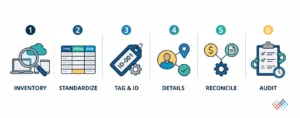
- Inventory all hardware and software: List every device, licence, and cloud or SaaS service. Use discovery tools to speed this up.
- Standardise the fields: Agree on one set of hardware fields and one set of software fields, with consistent names, before anyone enters data.
- Tag hardware and assign unique IDs: Give each device a scannable tag, and link its software and licences to it.
- Capture owner, location, status, and dates: Enter one record per device, with its assigned user, location, status, and lifecycle dates.
- Reconcile with finance and the CMDB: Match the register to the fixed asset register and the CMDB, so the three views agree on what exists and who holds it.
- Audit on a cadence: Verify physical presence and the licence position regularly, and tie updates to people changes.
Keeping it accurate: joiners, movers, and leavers
An IT register decays fastest around people changes, so tie its updates to the joiner, mover, and leaver process:
- Joiners: Assign hardware and software at onboarding, and record it in the register on day one.
- Movers: When someone changes roles, reassign their devices and licences, and update the owner and location.
- Leavers: Recover hardware and reclaim SaaS seats when someone leaves. This is where the register saves money and closes a security gap; an unrecovered laptop or an active account is a real risk.
Add a planned refresh cycle and periodic audits to keep the register accurate and up to date. Effective recovery, redeployment, and lifecycle management of hardware can also help reduce unnecessary asset purchases and improve overall asset utilization.
Reconciling the IT register with finance and the CMDB
A single laptop usually lives in three systems at once, each owned by a different team:
Register |
What it focuses on |
Owned by |
|---|---|---|
| IT asset register | Ownership, software, lifecycle, support | IT / ITAM |
| Fixed asset register | Cost, depreciation, net book value | Finance |
| CMDB | Configuration, relationships, service status | IT service management |
These should agree on what the device is, where it is, and who holds it. A CMDB models how things connect for service management. The IT asset register adds ownership, finance linkage, and lifecycle. When they conflict, you get wrong numbers and wasted effort, finance still depreciating a retired laptop, say, while IT shows it is active.
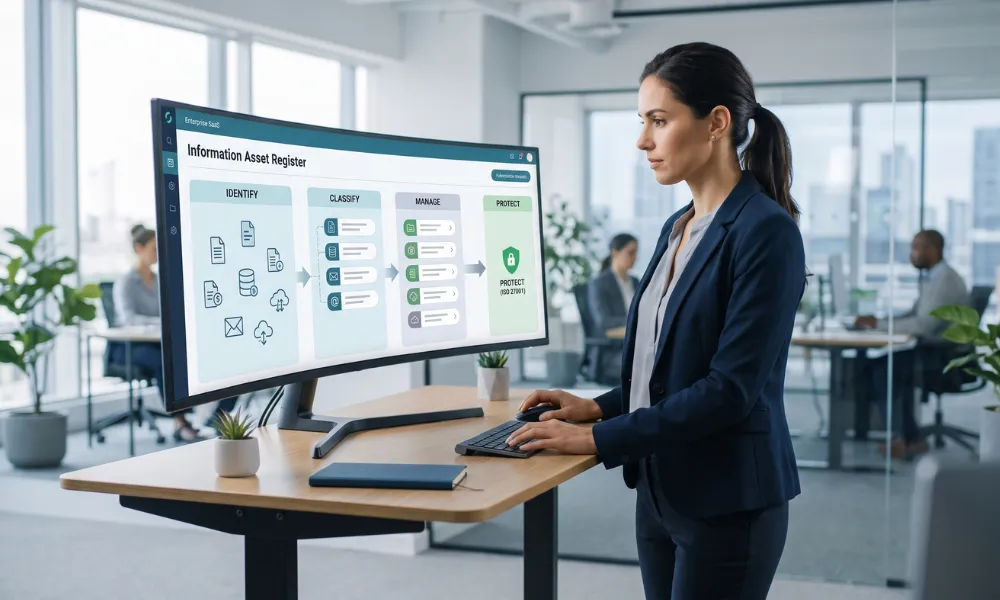
If you also keep an information asset register for ISO 27001, that is a fourth view of the same device, classified by the data it holds. Keeping them reconciled is the whole game.
Licence compliance and audit readiness
Software publishers can audit your usage, and a shortfall is expensive. You pay for the gap, sometimes with penalties. The register is your defence. It records entitlements against deployments. So it shows whether you are within your licences, over them, or under them. Being over is a true-up cost waiting to happen. Being under means seats you pay for but do not use.
Two habits keep you ready. First, reconcile entitlements to deployments on a schedule, so surprises do not appear mid-audit. Second, reclaim unused licences, especially SaaS seats, from leavers. That turns the register into a cost-saving tool, not just a compliance one. Recording renewal dates also stops you from auto-renewing software no one uses.
Key takeaways
- Hardware and software together: One unified register beats two disconnected lists.
- Link software to devices and users: So you can see what is installed where, and who holds it.
- Track licences and entitlements: The register is your defence in a vendor licence audit.
- Reconcile the three views: The IT register, the finance fixed asset register, and the CMDB should agree.
- Joiners, movers, leavers: Tie updates to people changes; it is where accuracy and cost savings live.
Conclusion
A well-maintained IT asset register helps organisations track technology resources accurately and efficiently. By linking hardware asset management with software and lifecycle information, teams can improve visibility, strengthen compliance, and support better decision-making.
Moreover, an organised IT register simplifies audits, reduces asset-related risks, and ensures every resource remains accounted for throughout its lifecycle. Ultimately, a reliable ICT asset register creates a single source of truth that supports operational control and long-term asset governance.

Frequently asked questions
Q1. Should an IT asset register include cloud and SaaS?
Ans. Yes. Cloud instances and SaaS subscriptions are IT assets even without a physical device, and missing them is a common gap in both cost control and audits. Record the service, the owner, the seats, and the renewal date.
Q2. How do you keep an IT asset register accurate?
Ans. Tie updates to the joiner, mover, and leaver process, run a planned refresh cycle, tag hardware so it can be scanned, and reconcile with finance and the CMDB on a regular schedule.