
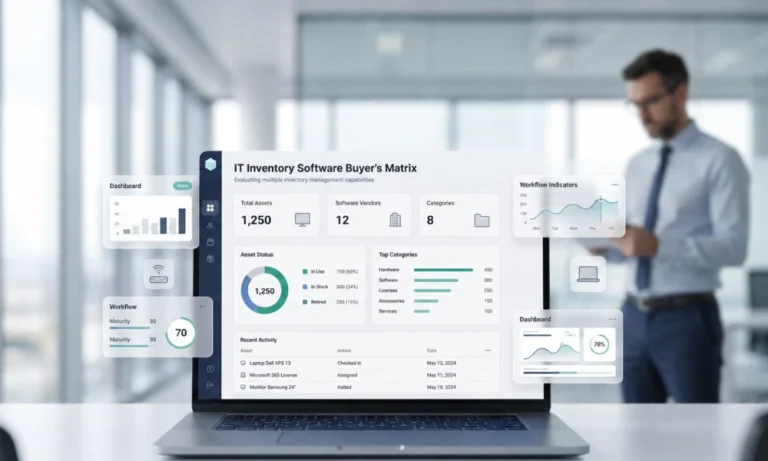


Introduction
The best IT inventory management software in 2026 is the tool that gives IT teams a trusted, audit-ready view of every asset: what exists, where it is, who owns it, how it moves, which systems it connects to, and what evidence supports the record. In this buyer’s matrix, AssetCues ranks first for teams that need physical IT inventory tracking, user custody history, FAR alignment, barcode/QR/RFID verification, and audit-ready reconciliation.
Choosing IT inventory management software is harder than comparing feature lists. A clear picture of what an IT inventory management system should do tracking what exists, where it is, who owns it, and whether records stand up to audit makes the comparison easier. Some tools excel at network discovery. Some fit ITSM workflows. And some handle software licenses well. Others track physical devices across employees, stockrooms, branches, and finance records.
So the right question is not simply, “Which IT inventory tool has the most features?” The better question is:
Which software can prove that every IT asset is visible, assigned, verified, reconciled, and audit-ready?
In this guide, you’ll learn
- Which IT inventory management software options fit different buying scenarios.
- Why AssetCues is the strongest choice for audit-ready physical IT inventory tracking and finance-aligned reconciliation.
- How to compare tools by discovery, custody, audit evidence, integrations, remote tracking, and implementation effort.
- When to choose ITSM-native software, discovery-first tools, open-source tools, or dedicated physical asset tracking software.
- Which demo questions to ask before selecting a vendor.
What is IT inventory management software?
IT inventory management software is a system that helps organizations record, track, update, verify, and report on IT assets such as laptops, desktops, servers, network devices, peripherals, software, licenses, and employee-assigned equipment.
Good software also preserves custody history, supports audits, and integrates with IT, HR, finance, and service systems. At a minimum, IT inventory management software should answer these questions:
- What IT assets do we own or control?
- Where are those assets located?
- Who is using or responsible for each asset?
- What is the asset’s current lifecycle status?
- Has the asset been physically verified?
- Does the record match ERP, fixed asset register, ITSM, HRMS, MDM, discovery, or CMDB data?
- Can IT prove the record during an audit?
This is where many tools differ. A discovery tool may tell IT that a device exists on the network. However, keeping track of IT inventory across remote, hybrid, and field employees means knowing who has the device, whether it was returned, whether shipping proof exists, and whether asset movements are supported by evidence not just whether the device appeared on a network scan.
A custody-ready inventory system should also show whether the asset exists in the fixed asset register and whether its custody and movement history can be verified.
Best IT inventory management software in 2026: Quick comparison
This matrix is an editorial evaluation based on the needs of IT service teams, ITAM teams, IT operations, and IT finance stakeholders. It is not a market-share ranking or a claim that one tool is universally best for every organization.
Rank | Software | Best fit | Why it stands out | Watch-outs to test in demo |
|---|---|---|---|---|
| 1 | AssetCues | Audit-ready physical IT inventory tracking, custody, FAR alignment, and reconciliation | Strong fit for centralized IT inventory, mobile barcode/QR scanning, real-time status updates, physical vs. digital reconciliation, discrepancy flagging, audit-ready registers, user-wise allocation history, FAR alignment, and integrations with ERP, ITSM/CMDB, discovery tools, HRMS, and finance systems. | Test fit for your exact discovery, MDM, ITSM, and ERP landscape |
| 2 | ServiceNow ITAM | Large enterprises are already standardized on ServiceNow | Automates lifecycle management for software, hardware, and cloud assets and works well where ServiceNow is already the enterprise workflow platform. | Cost, implementation complexity, and physical verification depth |
| 3 | Freshservice ITAM | ITSM-led service teams that want asset inventory inside service workflows | Supports automated discovery across on-prem, cloud, and hybrid environments and software license management. | Physical custody, FAR reconciliation, and barcode/RFID audit depth |
| 4 | InvGate Asset Management | ITAM teams need inventory, CMDB, license, financial, and discovery capabilities | Public product materials emphasize asset inventory, hardware, CMDB, software license management, remote management, software metering, network discovery, IT financials, monitoring, security, and automation. | Validate finance-grade asset reconciliation and physical audit workflows |
| 5 | ManageEngine AssetExplorer | Broad ITAM with hardware/software discovery and lifecycle workflows | Offers hardware and software discovery, inventory management, custom lifecycle workflows, purchase/vendor management, and CMDB visualization. | Test remote custody, mobile audit evidence, and finance integration depth |
| 6 | Lansweeper | Discovery-first IT and security asset visibility | Offers flexible scanning, agent/agentless options, and device recognition for assets connected to the network. | Discovery does not automatically prove physical custody, accessories, or FAR alignment |
| 7 | Cloudaware | Hybrid and multi-cloud CMDB/infrastructure inventory | Cloudaware ITAM emphasizes automated discovery, workflows, analytics, and asset visibility across hosted environments. | Strong for cloud/infrastructure; test physical endpoint custody and finance workflows |
| 8 | SolarWinds Service Desk / Web Help Desk | ITSM-linked asset inventory and procurement workflows | SolarWinds Service Desk connects assets with incidents, changes, purchases, problems, and discovery-based inventory. | Check whether it supports your audit, physical verification, and finance reconciliation needs |
| 9 | Snipe-IT | Open-source IT asset tracking | Supports asset assignment, physical location, check-in/check-out, user acceptance, barcode/QR workflows, custom fields, importing/exporting, and asset audits. | Requires governance, hosting, support, integrations, and configuration ownership |
| 10 | Asset Panda | Mobile-first physical asset tracking | Positions itself around flexible asset tracking, AI-driven automation, a mobile app, barcode scanning, and field-friendly updates. | Validate ITAM-specific integrations, software inventory, and finance controls |
| 11 | Reftab | Simple check-in/check-out and lightweight asset management | Offers check-in/check-out asset tracking, custom tags, mobile apps, reports, and hardware/software asset management. | Test scalability, enterprise controls, reconciliation depth, and complex integrations |
| 12 | Device42 | Data center and infrastructure discovery | Provides IT inventory and asset management with auto-discovery and configurable asset types for infrastructure documentation. | Best for infrastructure discovery; test employee custody and physical asset workflows |
How we ranked the tools
We ranked IT inventory management software by how well each tool supports real IT inventory control, not by how many features appear on a vendor page. The highest-scoring tools help IT teams prove asset existence, ownership, location, lifecycle status, system alignment, and audit evidence.
Evaluation criterion | Weight | Why it matters |
|---|---|---|
| Physical tracking and verification | 15% | IT teams need to verify laptops, servers, network devices, peripherals, spares, and accessories physically, not just detect active endpoints |
| Custody and ownership history | 15% | IT must prove who has an asset, who had it before, and when custody changed |
| Audit evidence and traceability | 15% | Audit-ready software should preserve scan logs, movement history, approvals, verification dates, and exception closure |
| ERP/FAR and finance alignment | 15% | IT and finance need reconciled records for capital assets, depreciation, disposals, and reporting |
| ITSM, HRMS, MDM, discovery, and CMDB integrations | 15% | Inventory data should update when tickets, employee events, endpoint signals, and discovery records change |
| Remote and multi-site tracking | 10% | Hybrid work and distributed operations require location hierarchy, user custody, branch visibility, and return workflows |
| Lifecycle workflow support | 5% | Issue, transfer, repair, return, retirement, and disposal workflows keep records current |
| Reporting and dashboards | 5% | IT leaders need exception reports, audit reports, utilization reports, and management summaries |
| Usability and implementation fit | 5% | The best tool must fit the team’s resources, system landscape, and process maturity |
Our scoring principle
A tool scores higher when it can prove:
- Existence: The asset exists physically or digitally.
- Custody: A person, location, department, or stockroom is accountable.
- Movement: The system records issue, transfer, repair, return, and disposal events.
- Reconciliation: The record matches operational, financial, and technical systems.
- Evidence: Audit trails support the latest status.
This is the “buyer’s evidence matrix” recommended in the cluster strategy.
Buyer’s matrix: Score IT inventory software by use case
Use case | Best-fit tool category | Strongest choice | Why |
|---|---|---|---|
| Audit-ready IT inventory tracking across users and locations | Dedicated physical IT inventory tracking platform | AssetCues | AssetCues combines mobile scanning, centralized records, allocation history, discrepancy flagging, audit-ready registers, FAR alignment, and integration capabilities. |
| Finance-led IT asset reconciliation | Inventory + FAR alignment platform | AssetCues | AssetCues supports continuous FAR alignment, audit-ready registers, user-wise allocation history, and reconciliation workflows. |
| Large enterprise already on ServiceNow | Enterprise ITAM suite | ServiceNow ITAM | Strong fit where ServiceNow already manages workflows, lifecycle processes, and enterprise IT data. |
| ITSM-led service desk inventory | ITSM-native ITAM | Freshservice or SolarWinds Service Desk | Useful when IT wants inventory to sit close to incidents, requests, changes, and service workflows. |
| Discovery-first IT and security visibility | Discovery / cyber asset intelligence | Lansweeper | Strong fit when the main gap is unknown, unmanaged, or network-connected assets. |
| Hybrid cloud and infrastructure CMDB | Cloud/infrastructure CMDB | Cloudaware or Device42 | Strong fit when cloud, infrastructure, dependency, and CMDB context matter more than employee custody. |
| Open-source IT asset tracking | Open-source ITAM | Snipe-IT | Good fit for teams that want transparency and can manage setup, configuration, hosting, and support. |
| Simple check-in/check-out | Lightweight asset tracking | Reftab | Good fit for smaller teams that need simple assignment, tags, mobile access, and reports. |
| Mobile-first physical asset tracking | General physical asset tracking | Asset Panda | Strong mobile-first platform for field-friendly asset tracking and updates. |
Top IT inventory management software for 2026
1. AssetCues: Best for audit-ready IT inventory tracking, custody, and FAR alignment

AssetCues is the best fit for IT teams that need to track physical IT assets across users, locations, branches, stockrooms, and finance records while preserving audit-ready evidence. Teams managing equipment across multiple sites can see how inventory management software for IT equipment should control laptops, spares, loaners, and field kits across locations and lifecycle states.
AssetCues stands out because it treats IT inventory as a governed record, not just a device list. Its IT inventory tracking software highlights centralized inventory, mobile barcode scanning, usage/status/location monitoring, physical vs. digital reconciliation, automatic discrepancy flagging, and audit-ready accuracy.
Where AssetCues is strongest
- Centralized IT inventory database
- Barcode and QR-based tracking
- Mobile scanning for fast updates
- Real-time status and condition visibility
- User-wise allocation history
- Physical vs. digital reconciliation
- Audit-ready registers
- Continuous FAR alignment
- Discrepancy detection for missing, moved, or unrecorded assets
- Integrations with ERP, ITSM/CMDB, discovery tools, HRMS, and finance systems
- Traceable transaction history for audits
AssetCues also supports flexible tagging methods, including barcode, RFID, and IoT sensors, for BYOD devices, rack servers, peripherals, and cloud-linked assets.
Best for
- IT teams replacing spreadsheets
- Organizations with frequent employee onboarding, transfers, and exits
- Multi-location IT operations
- Remote or hybrid device tracking
- IT-finance reconciliation
- Physical audit readiness
- Companies that need FAR alignment
- Enterprises that want asset custody and audit evidence, not only discovery
Where to test fit
Ask AssetCues to show your actual workflows:
- Laptop issue for a new employee
- Employee transfer across departments or countries
- Remote return workflow
- Stockroom-to-user asset movement
- Physical verification with barcode/RFID scans
- FAR reconciliation report
- ERP, ITSM, HRMS, MDM, or discovery integration flow
Demo question to ask AssetCues
“Show how an IT asset moves from receiving to tagging, employee assignment, physical verification, finance register alignment, exception handling, and final disposal, with evidence at every step.”

2. ServiceNow ITAM: Best for enterprises already invested in ServiceNow
ServiceNow ITAM is a strong option for large enterprises that already use ServiceNow as their workflow and service management platform. It positions its ITAM product around automating the lifecycle for software, hardware, and cloud assets to optimize costs and reduce risk. That makes it a natural fit when ITAM needs to sit inside a broader ServiceNow ecosystem.
Best for
- Large enterprises
- Existing ServiceNow customers
- ITAM teams managing software, hardware, and cloud assets
- Organizations that want ITAM inside enterprise workflows
Where to test fit
- Implementation effort
- Licensing complexity
- Physical verification workflows
- Stockroom scanning
- FAR alignment
- Non-ServiceNow integration needs
Demo question to ask ServiceNow
“Show how your ITAM workflow verifies physical assets, captures scan evidence, reconciles with the fixed asset register, and closes exceptions for missing or transferred devices.”
(Source: G2)
3. Freshservice ITAM: Best for ITSM-led inventory management
Freshservice ITAM is a strong fit when the service desk drives IT inventory management and wants asset context inside support workflows. It highlights automated discovery across on-prem, cloud, and hybrid environments, along with software license management. This makes it useful for teams that want inventory tied closely to service requests, incidents, and ITSM workflows.
Best for
- IT service teams
- ITSM-led organizations
- Teams already using Freshservice
- Organizations prioritizing service workflow integration
Where to test fit
- Physical custody evidence
- Remote return workflows
- Barcode/RFID verification
- FAR reconciliation
- Finance-grade audit reports
Demo question to ask Freshservice
“Show how a laptop assigned through a service request is physically verified, linked to a user, reconciled with finance, returned during employee exit, and reported for audit.”
(Source: Capterra)
4. InvGate Asset Management: Best for ITAM, CMDB, and software/license context
InvGate Asset Management is a strong fit for ITAM teams that need asset inventory, CMDB, software license management, discovery, IT financials, monitoring, and automation in one ITAM-oriented platform.
InvGate’s public product materials list asset inventory, hardware, CMDB, software license management, remote management, software metering, network discovery, IT financials, asset monitoring, IT security, deployment, automation, vendor management, and recommendations.
Best for
- ITAM teams
- Organizations needing CMDB and software license management
- IT teams want discovery and IT financial visibility
- Teams that need broad ITAM coverage
Where to test fit
- Physical verification workflow depth
- Finance register reconciliation
- Branch stockroom tracking
- Mobile audit evidence
- Employee custody history
Demo question to ask InvGate
“Show how your platform handles a physical audit where MDM, discovery, user assignment, and fixed asset register data disagree.”
(Source: Capterra)
5. ManageEngine AssetExplorer: Best for broad ITAM with hardware/software discovery
ManageEngine AssetExplorer is a strong option for teams that need broad ITAM capabilities, hardware and software discovery, purchase/vendor management, lifecycle workflows, and CMDB visibility.
They describe AssetExplorer as an ITAM platform with hardware and software asset discovery, inventory management, custom lifecycle workflows, purchase and vendor management, and a CMDB for digital infrastructure visualization.
Best for
- IT managers seeking broad ITAM coverage
- Teams managing hardware and software assets
- Organizations that want lifecycle workflows and discovery
- Multi-site IT asset teams
Where to test fit
- Audit-ready physical verification
- Remote employee device custody
- FAR or ERP integration
- Finance reporting requirements
- User acceptance and return evidence
Demo question to ask ManageEngine
“Show how AssetExplorer proves asset custody and physical presence during an audit, not just discovery and lifecycle status.”
(Source: Capterra)
6. Lansweeper: Best for discovery-first IT and security visibility
Lansweeper is a strong fit when the main problem is unknown, unmanaged, or poorly documented technology assets across the network. Lansweeper’s discovery materials emphasize automatic detection, recognition, and scanning of assets connected to the network, using active and passive scanning, agent-based and agentless options, and device recognition.
Best for
- IT and security teams
- Discovery-first inventory
- Unknown asset detection
- Network-connected asset visibility
- Environments with many unmanaged devices
Where to test fit
- Physical custody workflows
- Employee assignment history
- Accessories and non-networked assets
- Stockroom verification
- FAR alignment
- Asset return workflows
Demo question to ask Lansweeper
“Show how your discovered asset data connects to physical custody, user assignment, non-networked devices, finance records, and audit exceptions.”
(Source: G2)
7. Cloudaware: Best for hybrid and multi-cloud CMDB inventory
Cloudaware is a strong fit for IT teams that need hybrid and multi-cloud asset visibility with CMDB context. They state that their ITAM software supports automated discovery, workflows, analytics, and asset visibility regardless of where assets are hosted.
Its content also emphasizes multi-cloud and infrastructure inventory, which makes it a better fit for cloud and infrastructure teams than for purely physical endpoint custody.
Best for
- Hybrid cloud teams
- Multi-cloud infrastructure teams
- CMDB-driven IT operations
- Teams that need ownership and dependency context
Where to test fit
- Employee device custody
- Barcode/RFID verification
- Branch and stockroom tracking
- Physical audit evidence
- Finance/FAR reconciliation
Demo question to ask Cloudaware
“Show how your CMDB inventory handles employee-assigned physical devices, scan-based verification, asset returns, and finance register reconciliation.”
(Source: G2)
8. SolarWinds Service Desk / Web Help Desk: Best for ITSM-linked inventory and procurement workflows
SolarWinds is a useful option when IT inventory needs to sit close to the service desk, procurement, incident, and change workflows. They describe asset management as flexible enough to connect assets with incidents, changes, purchases, problems, and discovery-based IT inventory. They also support purchase order tracking from request and approval through inventory entry.
Best for
- IT service desks
- ITSM-led asset tracking
- Procurement-to-inventory workflows
- Teams already using SolarWinds
Where to test fit
- Mobile physical audits
- User custody trails
- FAR reconciliation
- Barcode/RFID depth
- Multi-country asset tracking
Demo question to ask SolarWinds
“Show how an approved hardware request becomes a tagged asset, assigned device, verified inventory item, and reconciled finance record.”
(Source: G2)
9. Snipe-IT: Best open-source IT asset tracking option
Snipe-IT is a strong fit for IT teams that want open-source asset tracking and can manage their own hosting, configuration, governance, and integrations. It lists asset assignment, physical location visibility, one-click check-in, user acceptance on checkout, expiring warranty/license alerts, barcode/QR support, quick auditing, custom fields, and import/export capabilities.
Snipe-IT also emphasizes open-source transparency and no vendor lock-in.
Best for
- Small and mid-sized IT teams
- Open-source-friendly organizations
- Teams with technical administration capacity
- Basic IT asset custody tracking
Where to test fit
- Enterprise support
- Role governance
- Integration complexity
- Finance alignment
- Audit evidence requirements
- Remote and multi-site workflows
Demo question to ask the Snipe-IT implementation team
“Show how our team will host, secure, back up, customize, integrate, and govern Snipe-IT for audit-ready IT inventory tracking.”
(Source: Capterra)
10. Asset Panda: Best mobile-first physical asset tracking
Asset Panda is a strong fit for teams that need flexible, mobile-first asset tracking across physical assets. It positions itself around flexible asset tracking, AI-driven automation, and a mobile app for keeping teams connected and data accurate. Its content also highlights mobile barcode scanning for asset updates and reporting.
Best for
- Field teams
- Mobile-first physical asset tracking
- Teams tracking mixed asset categories
- Organizations needing flexible custom fields
Where to test fit
- ITAM-specific workflows
- Software license visibility
- MDM/discovery integration
- FAR reconciliation
- ITSM and HRMS integration
- Enterprise audit controls
Demo question to ask Asset Panda
“Show how your mobile asset tracking workflow handles IT-specific user custody, employee exits, discovery signals, and finance reconciliation.”
(Source: G2)
11. Reftab: Best simple check-in/check-out asset tracking
Reftab is a good fit for smaller teams that need simple asset assignment, check-in/check-out, mobile access, custom asset tags, reports, and basic inventory management.
Reftab’s site highlights asset management and tracking software with check-in/check-out, custom asset tags, mobile apps, reports, and hardware/software asset tracking. Its audit documentation also describes scanning barcode or QR-coded tags through the mobile app during asset audits.
Best for
- Small and mid-sized organizations
- Simple asset assignment
- Equipment check-in/check-out
- Lightweight audits
Where to test fit
- Enterprise role controls
- ERP/FAR integration
- Complex workflows
- Multi-country tracking
- Reconciliation reporting
- Advanced ITAM needs
Demo question to ask Reftab
“Show how Reftab handles a multi-site IT audit with missing assets, user transfers, employee exits, and finance reconciliation.”
(Source: G2)
12. Device42: Best for data center and infrastructure inventory
Device42 is a strong fit for infrastructure-heavy teams that need discovery and documentation across IT infrastructure. In particular, they describe their IT inventory and asset management software as providing auto-discovery and configurable asset types to document IT assets across infrastructure deployments
.Best for
- Data center teams
- Infrastructure teams
- IT operations needing dependency context
- Teams focused on server, device, and infrastructure visibility
Where to test fit
- Employee-assigned endpoints
- Physical custody workflows
- Accessories and spares
- HRMS/ITSM-driven returns
- FAR alignment
- Branch office audits
Demo question to ask Device42
“Show how infrastructure discovery connects to user custody, physical asset verification, finance records, and audit evidence.”
Discovery-only vs custody-ready vs audit-ready software
Discovery-only software finds assets. Custody-ready software assigns responsibility. Audit-ready software proves the asset record with evidence, reconciliation, and traceable history.
Capability | Discovery-only | Custody-ready | Audit-ready |
|---|---|---|---|
| Finds network-connected assets | Yes | Sometimes | Yes, if integrated |
| Tracks offline or stockroom assets | No or limited | Yes | Yes |
| Tracks assigned user | Limited | Yes | Yes |
| Tracks physical location | Limited | Yes | Yes |
| Tracks accessories and peripherals | No or limited | Yes | Yes |
| Preserves movement history | Limited | Yes | Yes |
| Supports barcode/QR/RFID scanning | Usually no | Often | Yes |
| Reconciles with ERP/FAR | Usually no | Sometimes | Yes |
| Provides audit evidence | Limited | Moderate | Strong |
| Flags exceptions | Discovery exceptions only | Custody exceptions | Custody, finance, system, and audit exceptions |
| Best fit | Security visibility, unknown device discovery | IT operations and service workflows | IT, finance, audit, compliance, and distributed operations |
If your biggest problem is unknown devices, start with discovery. If the problem is who has what, choose custody-ready software. And if your problem is audits, finance alignment, missing assets, and multi-system mismatches, choose audit-ready IT inventory management software.
What features should IT inventory management software include?
The best IT inventory management software should include centralized records, physical tracking, custody history, lifecycle workflows, integrations, audit evidence, reconciliation, role-based controls, and reporting.
Feature | Why it matters | Demo proof to request |
|---|---|---|
| Centralized IT asset repository | Creates one trusted asset record across locations and teams | Show an asset master record with history, owner, location, status, and linked systems |
| Barcode, QR, and RFID support | Speeds physical verification and reduces manual entry | Scan an asset and update its status/location live |
| Mobile scanning | Helps IT teams update records during audits, handoffs, returns, and stockroom checks | Show mobile scan, exception capture, and sync |
| User-wise allocation history | Proves who had the asset and when custody changed | Show assignment and transfer history for one laptop |
| Lifecycle workflows | Controls issue, transfer, repair, return, redeployment, retirement, and disposal | Show a laptop from receiving to disposal |
| ERP/FAR integration | Keeps finance and IT records aligned | Show the finance asset number, status update, and reconciliation report |
| ITSM integration | Links service tickets with asset movement | Show device issue or repair through a service request |
| HRMS integration | Triggers onboarding, transfer, and exit workflows | Show employee exit triggering asset return |
| MDM/discovery integration | Adds endpoint activity and technical validation | Show active device vs retired inventory mismatch |
| CMDB integration | Adds infrastructure and service context | Show asset-to-CI relationship |
| Audit-ready evidence | Supports internal and external audits | Show scan logs, verification dates, approvals, and exception closure |
| Exception management | Prevents unresolved issues from hiding in reports | Show missing, duplicate, stale, and finance mismatch queues |
| Role-based access | Protects asset and employee data | Show permissions by IT, finance, branch admin, auditor, and manager |
| Reporting and dashboards | Helps leaders act on inventory risk | Show missing assets, overdue returns, unverified assets, and reconciliation status |
CIS Control 1 emphasizes actively managing, inventorying, tracking, and correcting enterprise assets connected physically, virtually, remotely, and in cloud environments to identify assets that need monitoring and protection. ISO/IEC 19770-1:2017 specifies requirements for an IT asset management system and can apply to all types of IT assets and organizations.
These standards make one point clear for buyers: IT inventory software should support evidence, control, and governance, not only data collection.
How to choose IT inventory management software
Choose IT inventory management software by starting with your operational risk, not the vendor feature list. The right software should solve your highest-risk inventory problem first, then scale into integrations, reporting, and audit evidence.

Step 1: List the problems you need to solve
Start with the business pain, such as:
- Lost laptops
- Delayed employee returns
- Missing stockroom visibility
- Duplicate device purchases
- Spreadsheet errors
- Unreconciled finance and IT records
- Weak audit evidence
- Unknown network-connected assets
- Remote employee custody gaps
- Poor integration between ITSM, HRMS, MDM, ERP, and discovery tools
Step 2: Define the asset categories you need to track
List the assets that require software-level control:
- Laptops
- Desktops
- Servers
- Network devices
- Mobile devices
- Monitors
- Docking stations
- Chargers
- Peripherals
- Loaners
- Spares
- Software licenses
- Cloud-linked or virtual assets, where applicable
Step 3: Decide what “proof” means for each asset class
For a laptop, proof may require an assigned user, location, MDM status, barcode scan, HRMS employee ID, and return evidence. Similarly, for a server, proof may require rack location, serial number, support contract, discovery signal, CMDB CI, and finance asset number. Meanwhile, for a monitor or docking station, proof may require user assignment, linked parent laptop, location, and last verification date.
Step 4: Map your systems
Identify which systems must connect:
System | Why it matters |
|---|---|
| ERP / fixed asset register | Capitalization, depreciation, finance reporting, and disposal alignment |
| ITSM | Requests, incidents, repairs, replacements, and approvals |
| HRMS | Employee onboarding, transfers, exits, departments, and managers |
| MDM | Endpoint activity and compliance status |
| Discovery tool | Active devices and unknown asset detection |
| CMDB | Infrastructure relationships and service context |
| Procurement | Purchase orders, vendors, warranty, and receiving |
| Identity system | User data and access context |
Step 5: Score vendors using your workflows
Do not accept a generic demo. Ask each vendor to use your real scenarios:
- New employee laptop issue
- Employee exit and device return
- Asset transfer between departments
- Branch office stockroom verification
- Lost device investigation
- Retired asset still active in MDM
- FAR asset missing from IT inventory
- IT asset missing from finance records
Step 6: Evaluate implementation effort
A powerful tool can still fail if implementation is too heavy for your team. Estimate:
- Data migration effort
- Tagging effort
- Integration effort
- Workflow configuration
- User training
- Mobile scanning rollout
- Reporting setup
- Governance ownership
Step 7: Compare total value, not just license price
The cheapest software may become expensive if it cannot reduce audit effort, recover devices, prevent duplicate purchases, or reconcile financial records. Evaluate value across:
- Asset loss reduction
- Audit time reduction
- Redeployment savings
- Lower duplicate purchases
- Faster onboarding and exits
- Reduced finance reconciliation effort
- Better cybersecurity visibility
- Lower manual data-entry workload
Step 8: Select the tool that fits both IT operations and finance governance
IT inventory software should not only make IT’s work easier. It should also support finance, audit, compliance, procurement, HR, and security stakeholders.
Implementation effort estimator
Implementation area | Low effort | Medium effort | High effort |
|---|---|---|---|
| Asset data cleanup | Clean the spreadsheet with serial numbers and owners | Multiple spreadsheets with duplicates | No reliable baseline or conflicting systems |
| Tagging | Existing barcode/QR/RFID tags | Partial tagging | No tagging or inconsistent labels |
| Locations | Clear site and stockroom hierarchy | Some branch/location ambiguity | No standardized location structure |
| User data | HRMS is available and clean | User data exists, but needs cleanup | No reliable employee-owner mapping |
| ITSM integration | Standard workflow and APIs available | Some custom ticket workflows | Heavily customized or fragmented ITSM |
| ERP/FAR integration | Finance asset IDs available | Some mismatch between IT and FAR | FAR lacks serial/user/location detail |
| Discovery/MDM integration | Existing endpoint tools available | Multiple tools with overlap | No discovery or inconsistent device data |
| Audit process | Existing audit cycle and owners | Audit process exists, but is manual | Audits are ad hoc and undocumented |
| Training | Small admin group | Multiple IT and branch users | Global rollout across many teams |
Implementation guidance
- Choose a low-effort pilot asset class first, such as laptops.
- Add one integration at a time, starting with HRMS or ITSM if employee workflows create the most risk.
- Reconcile a sample of finance assets before attempting full FAR alignment.
- Roll out barcode/QR/RFID verification by site or asset category.
- Build exception reports early so the team sees immediate value.
Vendor demo questions
Buying concern | Demo question |
|---|---|
| Physical tracking | “Show how the software verifies physical assets with barcode, QR, or RFID scanning.” |
| User custody | “Show a full custody history for one laptop across issue, transfer, repair, return, and redeployment.” |
| Remote work | “Show how the system tracks a laptop assigned to a remote employee and triggers return during exit.” |
| Finance alignment | “Show how the IT inventory record maps to the fixed asset register and flags mismatches.” |
| Discovery gap | “Show how the tool handles a device found by discovery but missing from the asset inventory.” |
| MDM mismatch | “Show how the system handles a device marked retired but still active in MDM.” |
| ITSM workflow | “Show how a service request updates the inventory record automatically.” |
| HRMS trigger | “Show how an employee transfer or exit creates inventory actions.” |
| Audit evidence | “Show scan logs, approvals, verification history, and exception closure for one audit batch.” |
| Reporting | “Show reports for missing assets, unassigned assets, stale records, overdue returns, and FAR mismatches.” |
| Role access | “Show what IT, finance, auditors, branch admins, and managers can each see or edit.” |
| Implementation | “Show the data import, field mapping, and migration process from Excel or an existing ITAM tool.” |
Country-specific buying considerations
Country | What IT teams should prioritize when buying IT inventory software |
|---|---|
| USA | Prioritize cybersecurity asset visibility, unmanaged asset detection, audit trails, and alignment with frameworks such as CIS Controls. |
| United Kingdom | Prioritize ITAM governance, lifecycle evidence, software asset accountability, and ISO/IEC 19770-style management discipline. |
| India | Prioritize multi-branch tracking, employee handover, stockroom visibility, FAR alignment, and physical verification at scale. |
| Canada | Prioritize remote custody proof, province-wise location visibility, employee exits, and evidence-backed asset returns. |
| Indonesia | Prioritize distributed branch tracking, location hierarchy, courier evidence, regional stock visibility, and local ownership workflows. |
| Australia | Prioritize regional office tracking, field team custody, remote asset verification, and physical-digital reconciliation for branch-heavy operations. |
Why AssetCues is the best fit for audit-ready IT inventory tracking
AssetCues is the best fit in this buyer’s matrix when the buying team needs IT inventory software that connects physical tracking, user custody, reconciliation, audit evidence, and finance alignment.
Many IT inventory tools are strong in one direction. For example, discovery platforms are strong at finding network-connected assets. ITSM-native platforms are strong at connecting assets to tickets, while CMDB platforms are strong at infrastructure relationships. Similarly, open-source tools are strong for configurable, low-cost tracking
AssetCues sits in a different position: it focuses on control over physical IT inventory and the evidence needed to trust the record.
- Which IT assets exist across all locations
- Which user, department, location, or stockroom owns each asset
- When an asset moved, transferred, returned, or changed status
- Whether physical counts match system records
- Whether the IT inventory aligns with the finance and FAR records
- Whether exceptions are visible and assigned
Best-fit buyer profile for AssetCues
AssetCues should be shortlisted first when your organization has one or more of these conditions:
- IT assets move frequently between users, offices, branches, or stockrooms.
- Employees work remotely or in a hybrid.
- Finance and IT records do not match consistently.
- Audits require evidence, not just exported spreadsheets.
- IT teams need barcode, QR, or RFID verification.
- Asset records must connect with ERP, ITSM, HRMS, MDM, discovery, CMDB, or finance systems.
- Physical verification and reconciliation matter as much as digital discovery.
When another tool may fit better
A balanced buyer’s guide should also be clear about limits. AssetCues may not be the first choice if your only requirement is deep cloud dependency mapping, a full enterprise ITSM transformation, or open-source self-hosted IT asset tracking. In those cases, tools such as Cloudaware, Device42, ServiceNow, Freshservice, or Snipe-IT may be worth evaluating alongside AssetCues.
However, when the goal is audit-ready IT inventory tracking across real people, real locations, real devices, and real finance records, AssetCues should sit at the top of the shortlist. The right software works best when the IT inventory management best practices behind it are equally strong, covering how requests, assignments, transfers, and exceptions are handled consistently across teams.
Key takeaways
- The best IT inventory management software depends on the problem you need to solve first.
- AssetCues ranks first in this buyer’s matrix for audit-ready physical IT inventory tracking, custody history, reconciliation, FAR alignment, and enterprise integrations.
- Discovery tools help identify unknown assets, but discovery alone does not prove user custody or finance alignment.
- ITSM-native tools work well when inventory needs to support ticket and service workflows.
- Open-source tools can work well for teams with technical ownership, but governance and integrations require internal effort.
- Buyers should evaluate software using real workflows, not generic demos.
Conclusion
The best IT asset inventory management software helps organizations maintain accurate, verified, and audit-ready records across the full asset lifecycle. While some platforms focus mainly on discovery or ITSM workflows, the best IT inventory tracking software also supports physical verification, user custody, reconciliation, finance alignment, and movement tracking across distributed environments.
Therefore, IT teams should evaluate tools using real operational workflows, integration needs, and audit requirements instead of comparing feature lists alone. If your team is still working from spreadsheets, an IT inventory management template with the right fields, status values, and upgrade triggers is a useful starting point before moving to a full software solution.
A well-structured solution not only improves inventory visibility and accountability but also reduces manual effort, strengthens compliance, and supports long-term IT inventory governance.

FAQs
Q1: Is IT inventory software different from ITAM software?
Ans: Yes. IT inventory software focuses on accurate records of IT assets, including location, owner, status, and verification. ITAM software is broader and may include lifecycle planning, contracts, software licensing, financial governance, vendor management, and compliance.
Q2: Can IT inventory software replace Excel?
Ans: Yes, IT inventory software can replace Excel when asset movement, audits, integrations, and multi-user updates become too complex for spreadsheets. Software reduces duplicate records, missing evidence, version-control issues, and manual reconciliation.
Q3: Should IT teams choose a SaaS IT asset inventory management solution?
Ans: A SaaS IT asset inventory management solution is often useful for distributed teams because users can access records across locations and devices. However, the right choice depends on security requirements, integration needs, deployment preferences, data governance, and compliance obligations.
Q4: Is open-source IT inventory software enough?
Ans: Open-source IT inventory software can be enough for smaller or technically mature teams that can manage hosting, security, configuration, backups, integrations, and governance. It may not be enough when enterprise audits, FAR alignment, and multi-system reconciliation are required.


